See what generation is doing before it becomes editorial debt.
Inspect asynchronous jobs, completion state, failures, retries, partial batches, latency, and attributed cost from one queue.
Provider control
Illustrative product schematicBlogFactory · Editorial control schematics
Models connect without exposing provider keys.
Choose the modelSee provider costKeep provider control
Keep the pipeline observable.
Watch active work
See pending and running jobs without blocking the content workspace.
Recover failures
Open failed work and retry only when recovery is safe.
Find slow jobs
Surface the work that waited longest.
Trace expensive jobs
Keep model, source, persona, and cost context together.
The generation pipeline has a visible operational history.
Each row keeps source type, writer profile, model, step, created time, and status together while the summary surfaces the work that needs attention.
- Active job count
- Failure and retry state
- Slow and expensive outliers
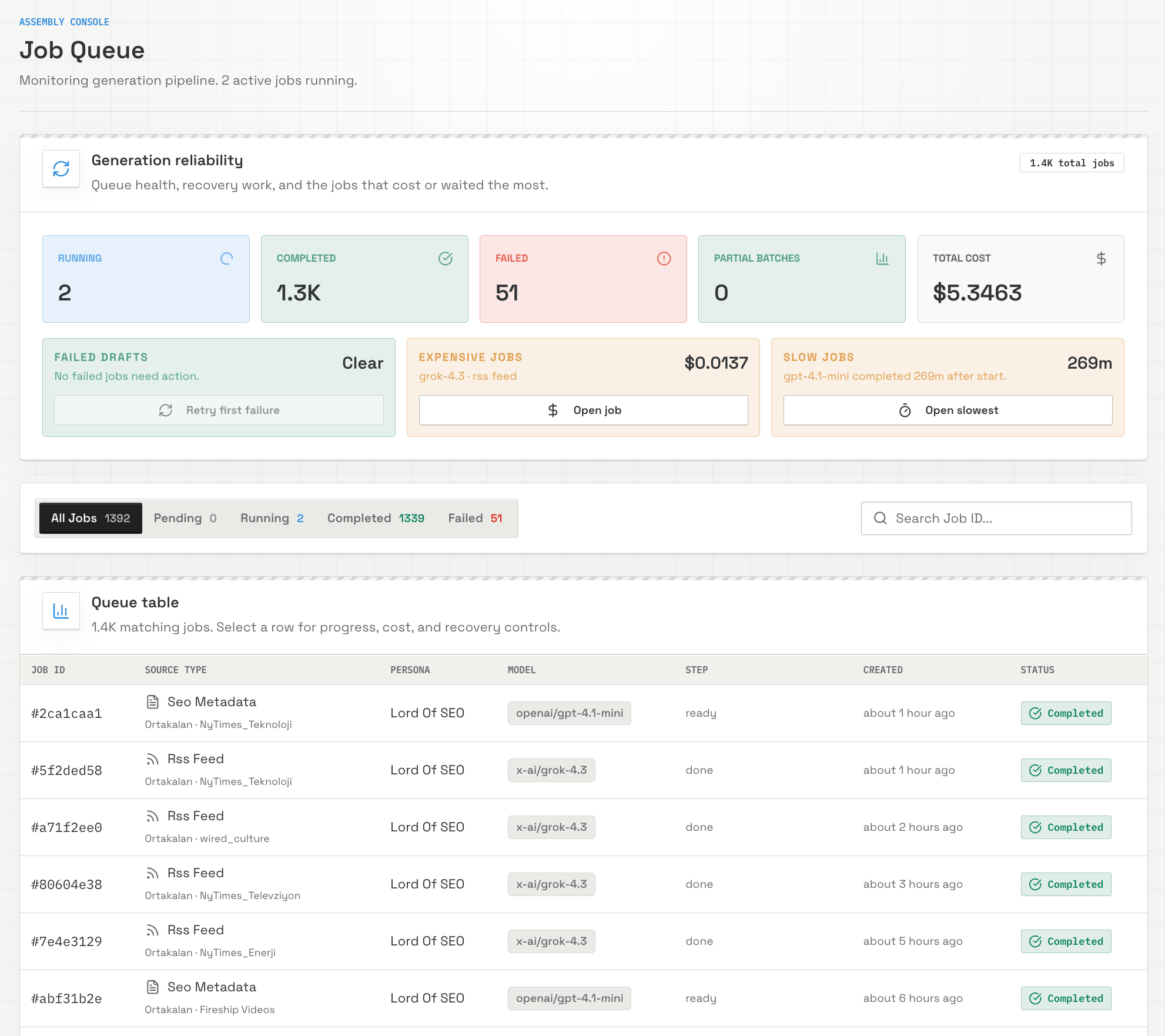
Observe, inspect, and recover.
Read queue health
Start with active, completed, failed, and partial batch counts.
Open the outlier
Inspect the slow, failed, or expensive job and its source context.
Recover deliberately
Retry supported failures or return to the affected draft.
Built for controlled content operations.
Generation reliability
Run state stays separate from editorial state.
- Pending and running
- Completed and failed
- Partial batches
- Slow and expensive jobs
Before you connect.
Does BlogFactory keep sites separate?
Yes. Content, sources, permissions, provider access, search properties, and destinations remain scoped to the authorized site.
Can an MCP agent publish live or delete content?
No. Agent authority stops at approved CMS draft creation. Live publishing, deletion, credentials, and account administration stay outside MCP.
How can I use BlogFactory?
Self-host the AGPL-3.0-only release candidate for free, or create a managed BlogFactory Cloud account from $5 per month. Both editions keep CMS delivery draft-only.
Run BlogFactory where your content operation lives.
Inspect the public source, then follow the source-build Compose guide — or let Cloud run it from $5 a month. The boundary is identical in both.